

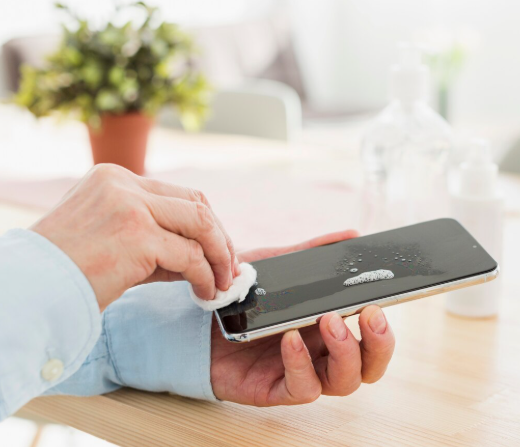
There’s a certain expectation that comes with using an iPhone.
The display isn’t just sharp – it’s responsive in a way that feels almost instinctive. You tap, it reacts. You scroll, it glides. There’s no lag, no resistance, no second thought. It’s this seamless interaction that defines the experience.
But then, something changes. You install an iPhone 16 tempered glass, and slowly, almost subtly, the screen starts to feel different. Not dramatically worse, just… off. The kind of change you can’t quite explain, but you feel it every time you use your phone.
Menu list
The Subtle Signs of Sensitivity Loss
Touch sensitivity issues rarely show up all at once. They creep in.
Maybe your taps don’t register instantly. Maybe you find yourself pressing slightly harder than usual. Typing starts to feel less accurate, with occasional missed letters. Even scrolling feels like it has a bit more friction than before.
Most people assume it’s a software glitch or just “one of those things.” But more often than not, it’s the tempered glass affecting the responsiveness of the display. Not all iPhone 16 tempered glass products are built to preserve the original touch experience.
Why Cheap Glass Disrupts Touch
At a basic level, a screen protector adds a physical layer between your fingers and the display. The quality of that layer determines how well touch signals pass through it.
Lower-quality glass often lacks the precision required for consistent sensitivity. Variations in thickness, poor material quality, or uneven finishing can interfere with how the screen detects touch inputs.
There’s also the issue of surface coating. Without a proper oleophobic layer, the glass creates drag, making swipes feel heavier and less fluid. Over time, smudges and fingerprints accumulate, further reducing responsiveness.
It’s not just about what you see – it’s about how the screen reacts.
Installation Plays a Bigger Role Than You Think
Sometimes, the issue isn’t just the product but how it’s applied. Tiny air gaps, dust particles, or uneven alignment can create micro-interruptions between the glass and the display. These interruptions affect the accuracy of touch signal transmission.
A poorly installed protector may look fine at first glance, but its performance tells a different story. This is why precision during installation is critical. Even the best glass won’t perform well if it isn’t applied correctly.
Everyday Usage Amplifies the Problem
Once sensitivity is slightly compromised, everyday usage makes it more noticeable. Long typing sessions feel slower. Gaming loses its responsiveness. Even simple gestures like zooming or switching apps require more effort than they should.
Over time, users adapt without realising it. You start pressing harder, tapping twice, or slowing down your interactions. It becomes your new normal. But it shouldn’t be.
Where Engineering Makes the Difference
It is here that the difference between generic and well-designed products is evident.
A well-designed screen protector is designed with the intention of maintaining the original responsiveness of the screen without interfering with it in any way. The RhinoTech Genuine Tempered Glass – Engineered by Corning™ is designed with the intention of maintaining the touch sensitivity of the screen as close to the original as possible.
The smooth surface of the glass protector allows the user’s fingers to slide smoothly over the surface, maintaining the original smoothness of the touch. At the same time, the oleophobic coating helps prevent the formation of fingerprints and other substances that could interfere with the performance of the protector in the long run.
In addition to this, the protector also excels in other ways that are important in the long run. With 5x shock resistance and extensive real-life testing, the protector is designed to last without compromising on performance. The antimicrobial glass also helps add to the hygiene factor of the protector, with other factors like fog marking contributing to the originality and quality of the protector.
Choosing the Right Balance
The goal of a screen protector isn’t just to prevent cracks. It’s to protect the device without changing how it feels to use.
When touch sensitivity is compromised, the entire experience shifts. And for a device designed with such precision, even small changes become noticeable.
Investing in RhinoTech screen protector means choosing a product that respects that balance – where protection, clarity, and responsiveness work together rather than against each other.
Because at this level, it’s not just about having a screen protector. It’s about having one that feels like it isn’t there at all.
The Experience Should Stay Untouched
Your iPhone is designed to respond instantly, effortlessly, and consistently. That’s not something you should have to adjust to or compromise on. The right tempered glass preserves that experience. The wrong one quietly takes it away. And once you notice the difference, it becomes hard to ignore.
In the end, good protection doesn’t announce itself. It simply works – day after day – without changing what you love about your device.